Introduction to Reports in the Stock Module
Aged Stock Analysis
Best Before List
Cost Price Analysis
Credit Notes, Updating Stock
Deficiency List
Deficiency List per Location
Delivery Journal
Delivery List
Goods Receipt Journal
Goods Receipt List
Item Group List
Item History
Item History per Location
Item/Delivery Mode Statistics
Items at Position
Location List
Recipe List (Made of)
Returned Goods Journal
Returned Goods to Supplier Journal
Serial Number History
Source List
Stock Depreciation Journal
Stock In Journal
Stock List
Stock List Comparison
Stock Movement Invoice Journal
Stock Movement Journal
Stock Out Journal
Stock Revaluation Journal
Stocktaking Comparison
Stocktaking Journal
Stocktaking List
Supplier/Item Statistics
Trip Sheet
Varieties Enquiry
Varieties in Stock
Weighted Average Introduction to Reports in the Stock Module
Aged Stock Analysis
Best Before List
Cost Price Analysis
Credit Notes, Updating Stock
Deficiency List
Deficiency List per Location
Delivery Journal
Delivery List
Goods Receipt Journal
Goods Receipt List
Item Group List
Item History
Item History per Location
Item/Delivery Mode Statistics
Items at Position
Location List
Recipe List (Made of)
Returned Goods Journal
Returned Goods to Supplier Journal
Serial Number History
Source List
Stock Depreciation Journal
Stock In Journal
Stock List
Stock List Comparison
Stock Movement Invoice Journal
Stock Movement Journal
Stock Out Journal
Stock Revaluation Journal
Stocktaking Comparison
Stocktaking Journal
Stocktaking List
Supplier/Item Statistics
Trip Sheet
Varieties Enquiry
Varieties in Stock
Weighted Average
 Tutorials for Standard Accounts Tutorials for Standard Accounts
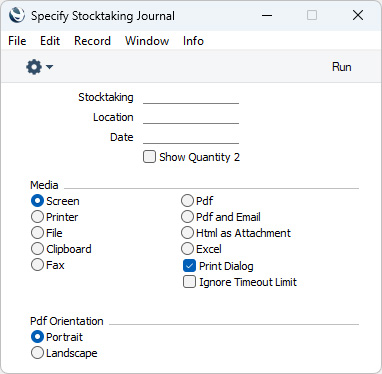
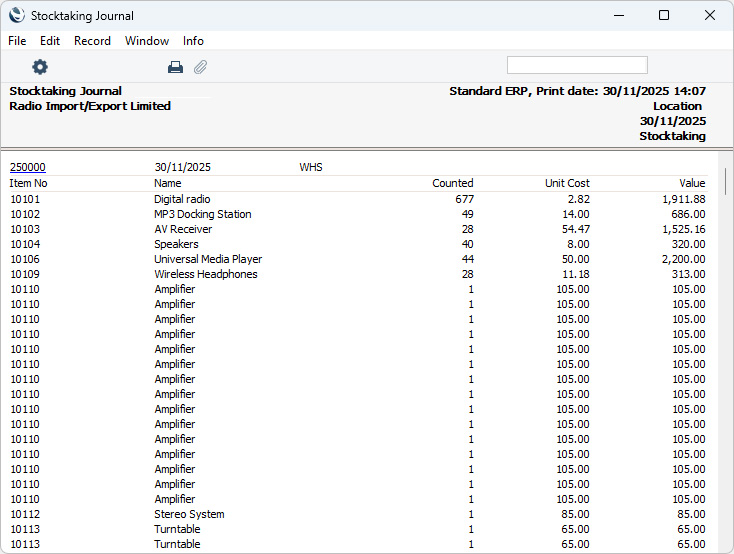
Search HansaManuals.com HansaManuals Home >> Standard ERP >> Magazyn >> Raporty Poprzednia Następna Wersja do wydruku Szukaj Opis dotyczy systemu HansaWorld Enterprise wersja 2026-06-25 Stocktaking Journal This page describes the Stocktaking Journal report in the Stock module.--- The Stocktaking Journal report is a list of the records in the Stocktaking register. For each Stocktaking record, it shows the Stocktaking Number, Date and Location, and then lists the Items in the Stocktaking record, showing the Item Number and Name, Counted quantity as recorded in the Stocktaking record, Unit Cost calculated using the relevant Cost Model and Value (Quantity x Unit Cost). When printed to screen, the Stocktaking Journal has the Standard ERP Drill-down feature. Click (Windows/macOS) or tap (iOS/Android) on any Stocktaking Number in the report to open an individual Stocktaking record.
Go back to:
|