Entering a Delivery - Del. Address Card
This page describes the fields on the 'Del. Address' card in the Delivery window. Please follow the links below for descriptions of the other cards:
---
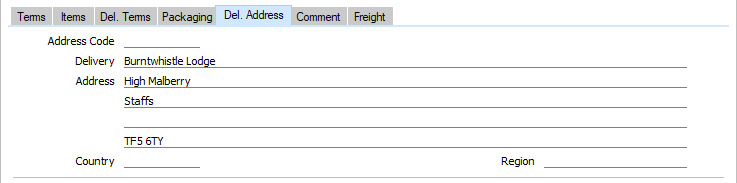
- Address Code
- Paste Special
Delivery Addresses setting, Sales Orders module
- If a Customer has several Delivery Addresses (e.g. it has several branches), you can list them in the Delivery Addresses setting in the Sales Orders module. Select the correct one for a particular Delivery using the 'Paste Special' function. The full Delivery Address and Region will be brought in to the fields below. Usually, only Delivery Addresses for the specified Customer and those with no Customer specified will be included in the 'Paste Special' list. If you would like the 'Paste Special' list to contain every Delivery Address, select the Paste All Delivery Addresses option in the Order Settings setting in the Sales Orders module.
- Delivery Address
- Default taken from
Delivery Address or Sales Order ('Del. Address' card)
- The Delivery Address, taken from the Delivery Addresses setting if you specified a Delivery Address above or otherwise from the 'Del Address' card of the Order. This, in turn, will have been taken from the 'Delivery' card of the Contact record for the Customer. You can change it for a particular Delivery if necessary.
- Country
- Paste Special
Countries setting, System module
- Default taken from Delivery Address or Sales Order ('Del. Address' card)
- The Country where the Delivery Address is located will be brought in from the Delivery Address specified in the Address Code field above or from the 'Del. Address' card of the originating Order.
- Region
- Paste Special
Regions setting, Sales Ledger
- Default taken from Delivery Address or Sales Order ('Inv. Address' card)
- The Region (e.g. the state, province or county) where the Delivery Address is to be found.
---
The Delivery register in Standard ERP:
Go back to:


 Introduction to the Delivery Register
