Consolidation - Examples
The following three examples illustrate the use of the Consoldation module in Standard ERP:- Holding Company with two Subsidiaries;
- Subsidiary Company is itself a Holding Company; and
- Currencies.
Go back to:
- Home page for Consolidation manual
- Home page for Standard ERP manual
Consolidation - Examples - Holding Company with two Subsidiaries
This page describes using the Consolidation module using an example in which there is a holding company (or "Mother" Company) and two subsidiary companies (or "Daughter" Companies).---
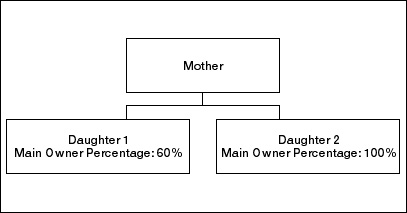
For this example we will use the following company structure:
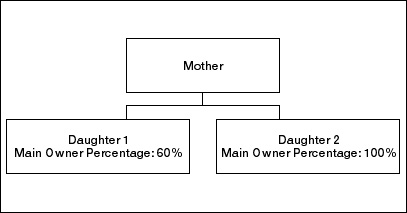
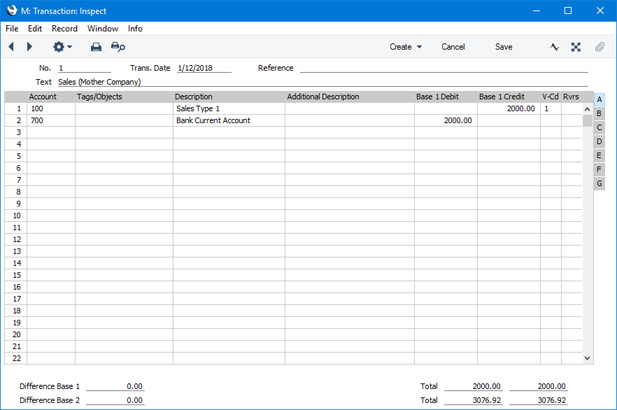
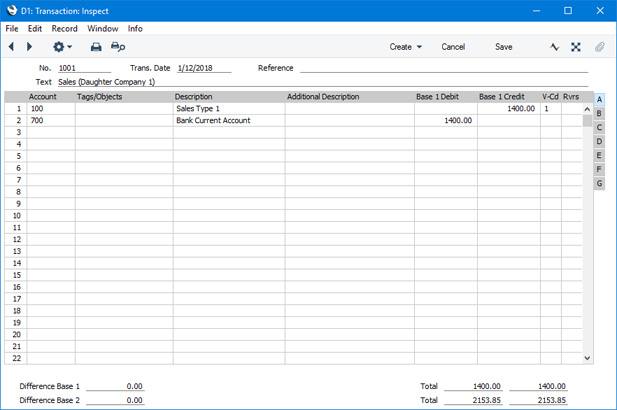
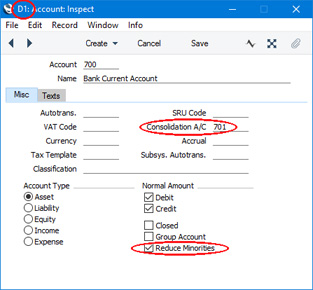
In the Main Owner Percentage register of the Daughter Company, we specified that it was 60% owned by the Mother Company. As we have selected the Reduce Minorities option in the Daughter Company's Bank Account, 60% of the balance of the Daughter Company's Bank Account will be shown in consolidated reports produced from the Mother Company. However, for the purposes of the example, we have not selected the Reduce Minorities option in the Sales Account (Account 100) in the Daughter Company. This means that the full balance of the Daughter Company's Sales Account will be shown in consolidated reports.
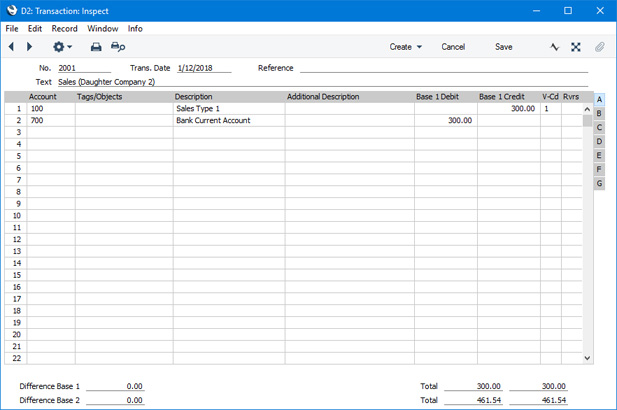
This is the Transaction in the second Daughter Company:
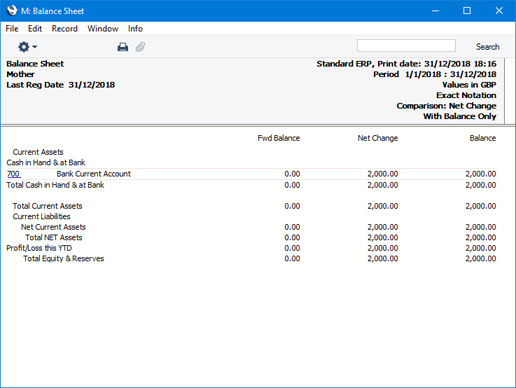
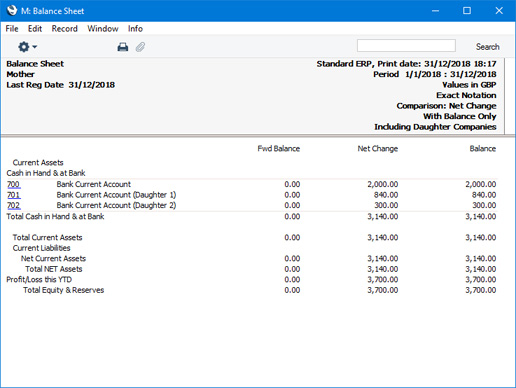
| 2,000.00 | from M | ||
| + | 1,400.00 | x 60% | from D1 (60% owned by M) |
| + | 300.00 | from D2 | |
| 3,140.00 |
The figure for Total Net Assets is different to that for Profit/Loss this YTD because we selected the Reduce Minorities option for the Bank Account in the first Daughter Company but not for the Sales Account. So, the Total Net Assets figure includes 60% of the first Daughter Company's Bank Account, but the Profit/Loss this YTD includes 100% of its Sales Account.
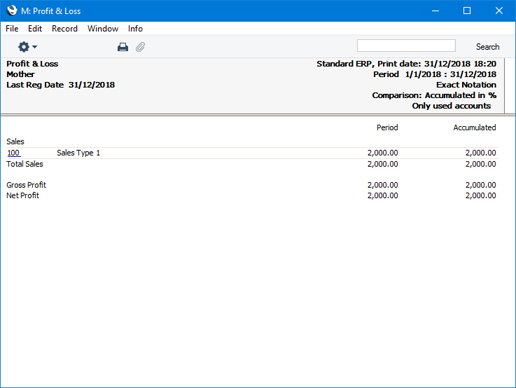
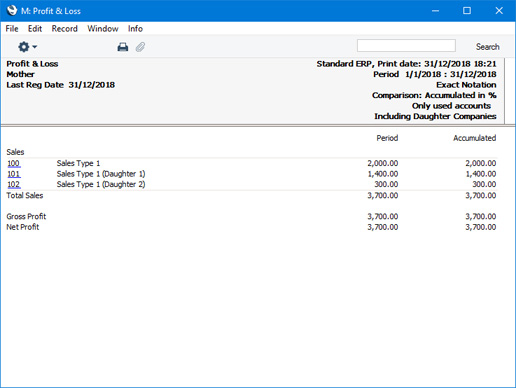
We will now produce a Profit & Loss Report from the Consolidation module in the Mother Company. If we do not select the Include Daughter Companies option in the 'Specify Profit & Loss Report' window, the balance on the Sales Account will be calculated from the Transaction in the Mother Company only:
---
Consolidation examples:
- Holding Company with two Subsidiaries
- Subsidiary Company is itself a Holding Company
- Currencies
- Home page for Consolidation manual
- Home page for Standard ERP manual
Consolidation - Examples - Subsidiary Company is itself a Holding Company
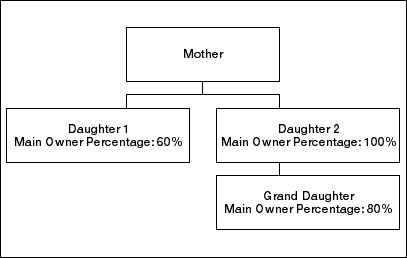
This page describes using the Consolidation module using an example in which one of the subsidiary companies (or "Daughter" Companies) has its own subsidiary company (or "Grand Daughter" Company).---
For this example we will start from the following company structure:
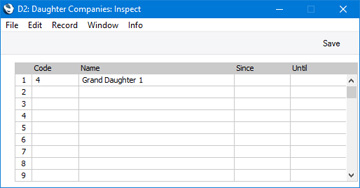
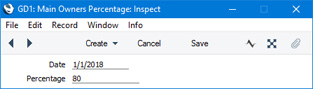
In the second Daughter Company, we have recorded its ownership of the Grand Daughter Company in the Daughter Companies setting:
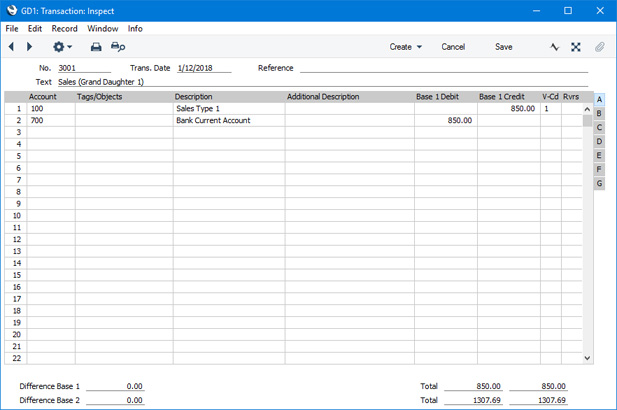
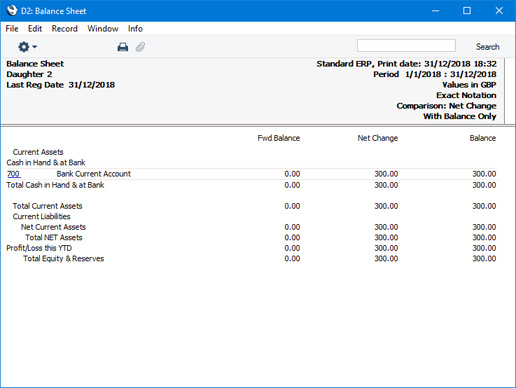
| 300.00 | from D2 | ||
| + | 850.00 | x 80% | from GD1 (80% owned by D2) |
| 980.00 |
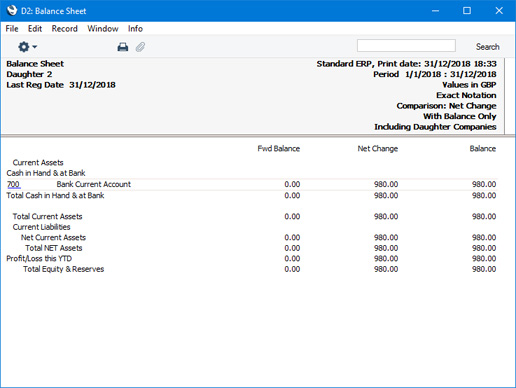
A Balance Sheet produced from the Mother Company using the Include Daughter Companies option will appear as follows:
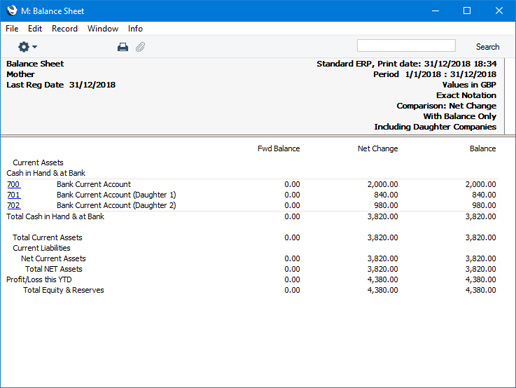
| 2,000.00 | from M | ||
| + | 1,400.00 | x 60% | from D1 (60% owned by M) |
| + | 300.00 | from D2 | |
| + | 850.00 | x 80% | from GD1 (80% owned by D2) |
| 3,820.00 |
Note that the balance of Account 702 includes the balances of the Bank Accounts in both the second Daughter Company and the Grand Daughter Company.
The Profit & Loss Report produced from the Mother Company using the Include Daughter Companies option will appear as follows:
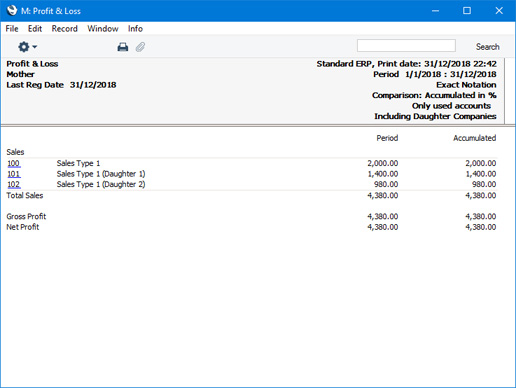
| 2,000.00 | from M | ||
| + | 1,400.00 | from D1 (60% owned by M, Reduce Minorities off) | |
| + | 300.00 | from D2 | |
| + | 850.00 | x 80% | from GD1 (80% owned by D2, Reduce Minorities on) |
| 4,380.00 |
---
Consolidation examples:
- Holding Company with two Subsidiaries
- Subsidiary Company is itself a Holding Company
- Currencies
- Home page for Consolidation manual
- Home page for Standard ERP manual
Consolidation - Examples - Currencies
This page describes using the Consolidation module using an example in which the various companies have different home Currencies.---
For this example, we will use the following company structure, showing the Base Currencies that are being used each Company:
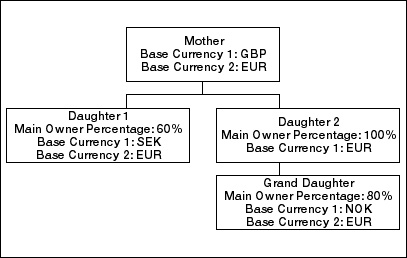
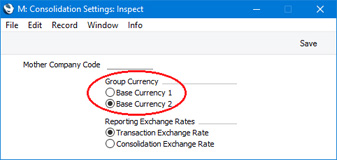
In the example, the Euro is used as Base Currency 2 in three of the four Companies, and as Base Currency 1 in the second Daughter Company. In the Consolidation Settings in each Company, it should be specified whether the Euro is being used as Base Currency 1 or 2 in that Company:
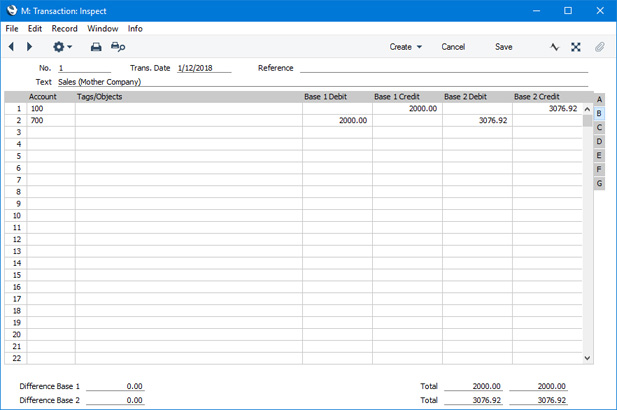
| Company | Base Currency 1 | Base Currency 2 |
| Daughter 1 | SEK 1500.00 | EUR 155.56 |
| Daughter 2 | EUR 70.59 | |
| Grand Daughter | NOK 850.00 | EUR 100.00 |
In a Balance Sheet produced from the Mother Company using the Include Daughter Companies option, all figures will be in the Group Currency (EUR):
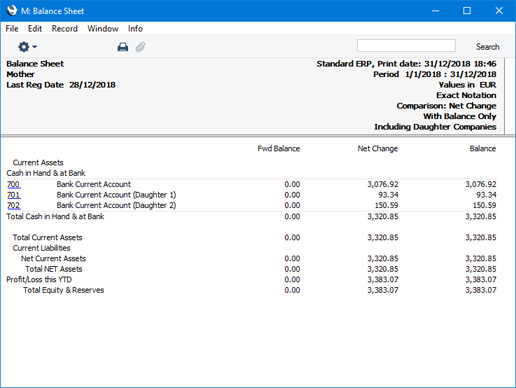
| 3,076.92 | from M | ||
| + | 155.56 | x 60% | from D1 (60% owned by M) |
| + | 70.59 | from D2 | |
| + | 100.00 | x 80% | from GD1 (80% owned by D2) |
| 3,320.85 |
---
Consolidation examples:
- Home page for Consolidation manual
- Home page for Standard ERP manual