Introduction to Settings in the Stock Module
Account Usage Stock
Barcodes
Base Price Changes
Batch Specifications
Cost Accounting - Part 1
Cost Accounting - Part 2
Delivery Packages
Freight Companies
Item Varieties
Item Variety Groups
Items
Location Accounts
Location Classification Types
Location Classifications
Location Groups
Locations
Minimum Stock Levels
Number Series - Deliveries
Number Series - Goods Receipts
Number Series - Returned Goods
Number Series - Returned Goods to Supplier
Number Series - Stock Depreciations
Number Series - Stock Movement Invoices
Number Series - Stock Movements
Number Series - Stock Revaluations
Number Series - Stocktaking
Pack Types
Positions
Picking Lists
Recipes
Returned Goods Settings
Routes, Routes/Locations
Serial Number Tracking
Sources
Stock Movement Durations
Stock Revaluation Settings
Stock Settings - Part 1
Stock Settings - Part 2
Structured Items
Supersession Items
User Defined Field Labels - Extra Costs
Variety Masks
Variety Sets
Variety Settings
Variety Subsets
Weighted Average
Winedi Introduction to Settings in the Stock Module
Account Usage Stock
Barcodes
Base Price Changes
Batch Specifications
Cost Accounting - Part 1
Cost Accounting - Part 2
Delivery Packages
Freight Companies
Item Varieties
Item Variety Groups
Items
Location Accounts
Location Classification Types
Location Classifications
Location Groups
Locations
Minimum Stock Levels
Number Series - Deliveries
Number Series - Goods Receipts
Number Series - Returned Goods
Number Series - Returned Goods to Supplier
Number Series - Stock Depreciations
Number Series - Stock Movement Invoices
Number Series - Stock Movements
Number Series - Stock Revaluations
Number Series - Stocktaking
Pack Types
Positions
Picking Lists
Recipes
Returned Goods Settings
Routes, Routes/Locations
Serial Number Tracking
Sources
Stock Movement Durations
Stock Revaluation Settings
Stock Settings - Part 1
Stock Settings - Part 2
Structured Items
Supersession Items
User Defined Field Labels - Extra Costs
Variety Masks
Variety Sets
Variety Settings
Variety Subsets
Weighted Average
Winedi
 Tutorials for Standard Accounts Tutorials for Standard Accounts
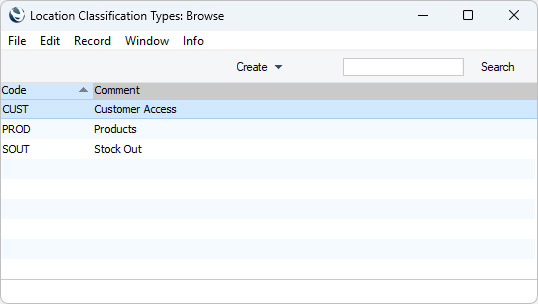
Search HansaManuals.com HansaManuals Home >> Standard ERP >> Stock >> Settings Previous Next Entire Chapter in Printable Form Search This text refers to program version 2026-06-25 Location Classification Types This page describes the Location Classification Types setting in the Stock module.--- Location Classification Types allow you to divide Location Classifications into groups. To open the Location Classification Types setting, first ensure you are in the Stock module. Then, if you are using Windows or macOS, click the [Settings] button in the Home Screen or use the Ctrl-S/⌘-S keyboard shortcuts and then double-click 'Location Classification Types' in the resulting list. If you are using iOS or Android, select 'Settings' from the Tools menu (with 'wrench' icon) and tap 'Location Classification Types' in the 'Settings' list.
--- Go back to:
|