|
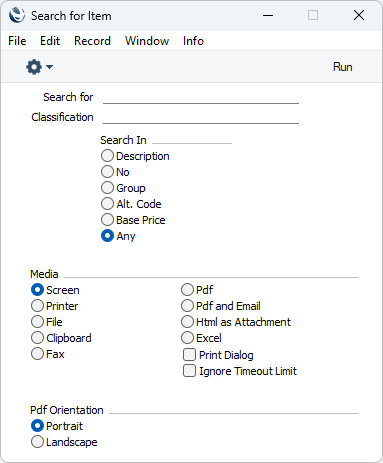
Search HansaManuals.com HansaManuals Home >> Standard ERP >> Stock >> Registro Movimientos de Stock Anterior Siguiente Capítulo Completo en versión p/Impresión Buscar Este texto se hace referencia a la versión del programa 2026-06-25 Operations Menu - Stock Movement - Item Search This page describes the 'Item Search' function on the Operations menu in the Stock Movement record window. If you are using iOS or Android, the 'Item Search' function is on the Tools menu (with 'wrench' icon).--- You can use the 'Item Search' function to search for Items that you can then add to the Stock Movement. This function is therefore an alternative to the 'Paste Special' feature. Place the insertion point in the Item field in any row and then select 'Search' from the Operations menu (Windows/macOS) or Tools menu (iOS/Android). The following window opens:
--- The Stock Movement register in Standard ERP:
Anterior Siguiente Arriba Capítulo Completo en versión p/Impresión |